
You see them everywhere. They appear on restaurant tables, product packaging, and even TV commercials. QR Codes feel familiar because they have become a standard part of our daily lives. Yet many marketing teams still underuse them or misunderstand their full potential. You might view them as simple digital stickers, but they actually function as powerful data bridges.
We need to look past the black squares and white backgrounds to see what these codes really do for your business. They connect your offline audience to your online world in seconds.
Understanding the basics helps you use them to drive real-time engagement and capture valuable insights. This guide acts as a modern reset for anyone looking to master QR Code technology in 2026.
Note: The brands and examples discussed below were found during our online research for this article.
Key takeaways
- QR Codes connect physical moments to digital destinations in seconds.
- Most modern smartphones can scan QR Codes without additional apps.
- QR Code placement matters as much as the destination itself.
- Dynamic QR Codes allow you to update and track their integrated links over time.
- QR Codes can provide valuable engagement insights beyond simple scans.
What is a QR Code, really?
Let’s look at some QR Code facts. A Quick Response Code (QR Code) acts as a two-dimensional barcode that stores information in a grid of pixels or “modules”. While traditional barcodes like those used for UPC labeling encode data horizontally, a QR Code stores data both horizontally and vertically. This two-dimensional structure allows each code to hold significantly more information, including alphanumeric characters, Kanji, binary data, and control codes.
Denso Wave, a Japanese company, developed this technology in 1994. Masahiro Hara, the engineer behind the invention, originally designed it to track vehicle parts at high speed during manufacturing. He drew inspiration from the game of Go to create the distinct pattern of black squares and white squares.
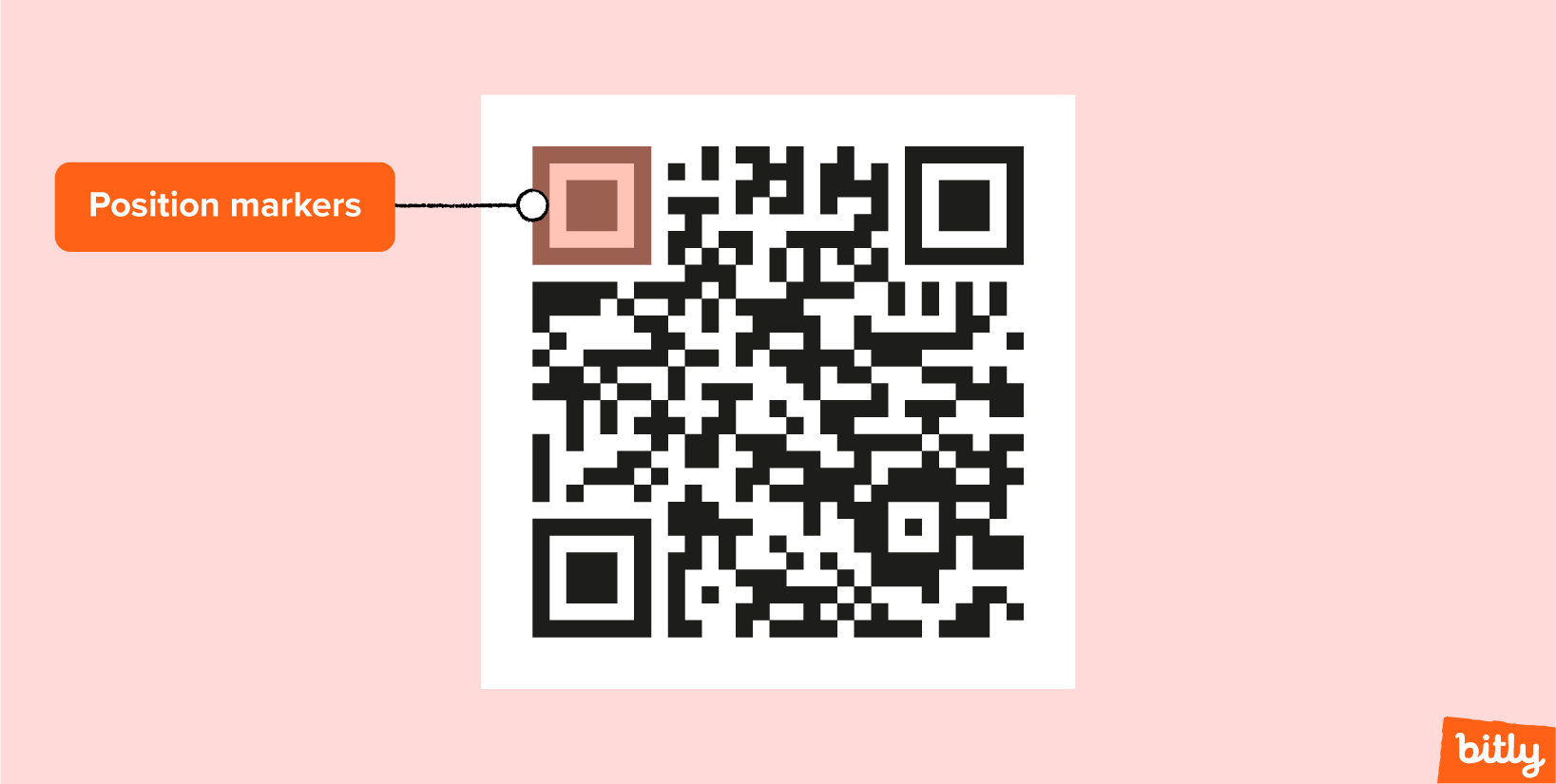
Today, we use QR Codes to trigger instant digital actions on mobile devices. The design includes specific features like position detection patterns (the large squares in the corners), alignment patterns, and timing patterns that allow a QR Code scanner to read the image from any angle. It also uses error correction to ensure the code remains scannable even if dirt or damage obscures part of the image.
How QR Codes work in everyday use
You do not need to understand complex encoding or mask pattern algorithms to use a QR Code. The process focuses on speed and convenience for the user.
A user spots a QR Code image on a poster or flyer. They pull out their smartphone and open the camera app. The phone’s camera recognizes the pattern instantly. A small notification or link preview appears on the screen. The user taps that notification, and the device immediately performs the action.
This action might involve opening a webpage, displaying a video, connecting to Wi-Fi, or launching an app store page. The technology removes friction. You eliminate the need for users to type long URLs or search for specific content manually. QR Codes work by creating a direct shortcut between intent and action.
Why QR Codes became mainstream (and stayed around)
QR Codes existed for years before they achieved global dominance. Japan embraced them early, but other regions lagged behind. The turning point arrived when Apple and Google integrated QR Code reader capabilities directly into the native camera app on iPhone and Android devices. This update removed the barrier of downloading a separate scanning app, making the technology accessible to everyone instantly.
The pandemic further accelerated this adoption. Businesses needed contactless solutions for menus, payments, and check-ins. QR Codes provided the perfect answer. People learned to scan QR Codes as a daily habit. We now view this behavior as a standard interaction rather than a novelty.
Where people encounter QR Codes today
You likely encounter QR Codes in dozens of contexts every week. Marketers and businesses place them wherever they need to bridge the physical and digital worlds.
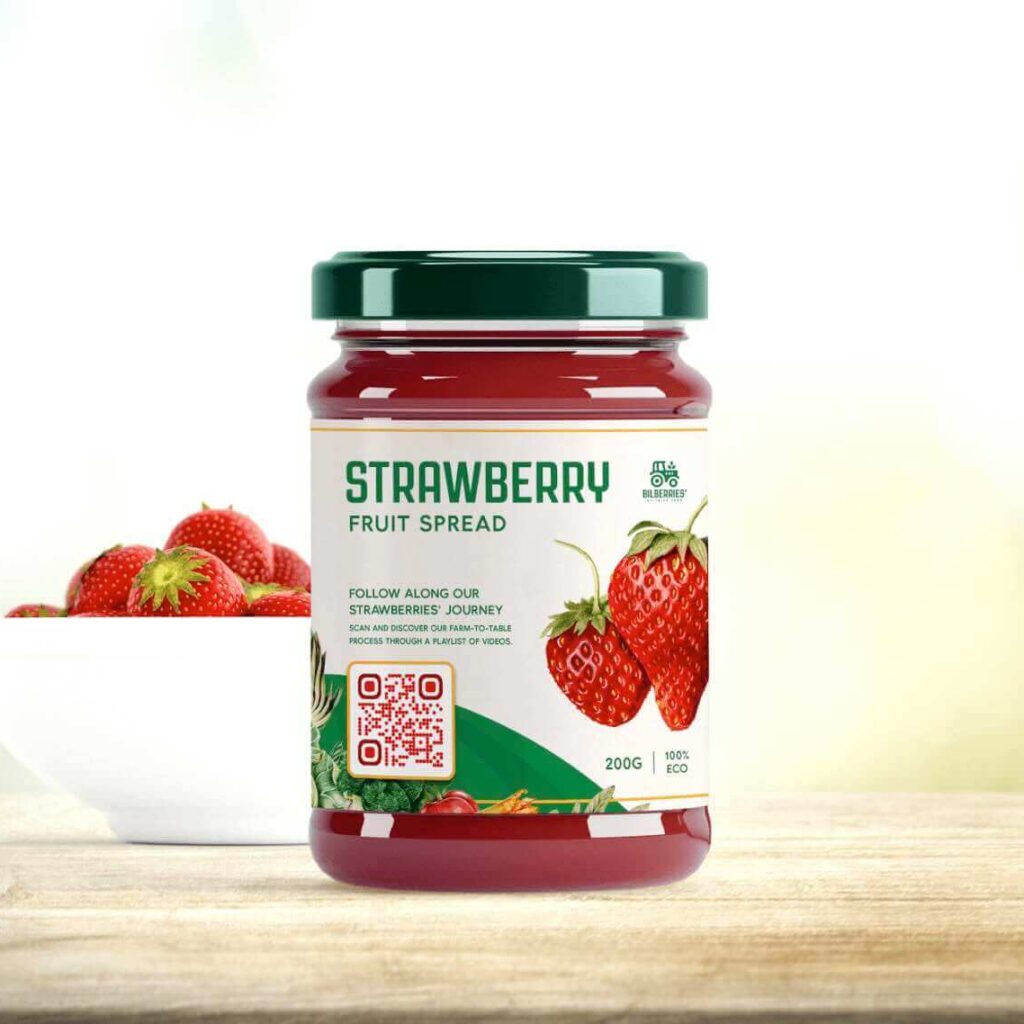
- Product packaging: Brands use codes on labels to share nutritional details, sustainability stories, or usage instructions.
- In-store displays and signage: Retailers use QR Codes to offer coupons, show product demos, or encourage app downloads.
- Events and conferences: Organizers use these codes for digital ticketing, agendas, and networking via digital business cards.
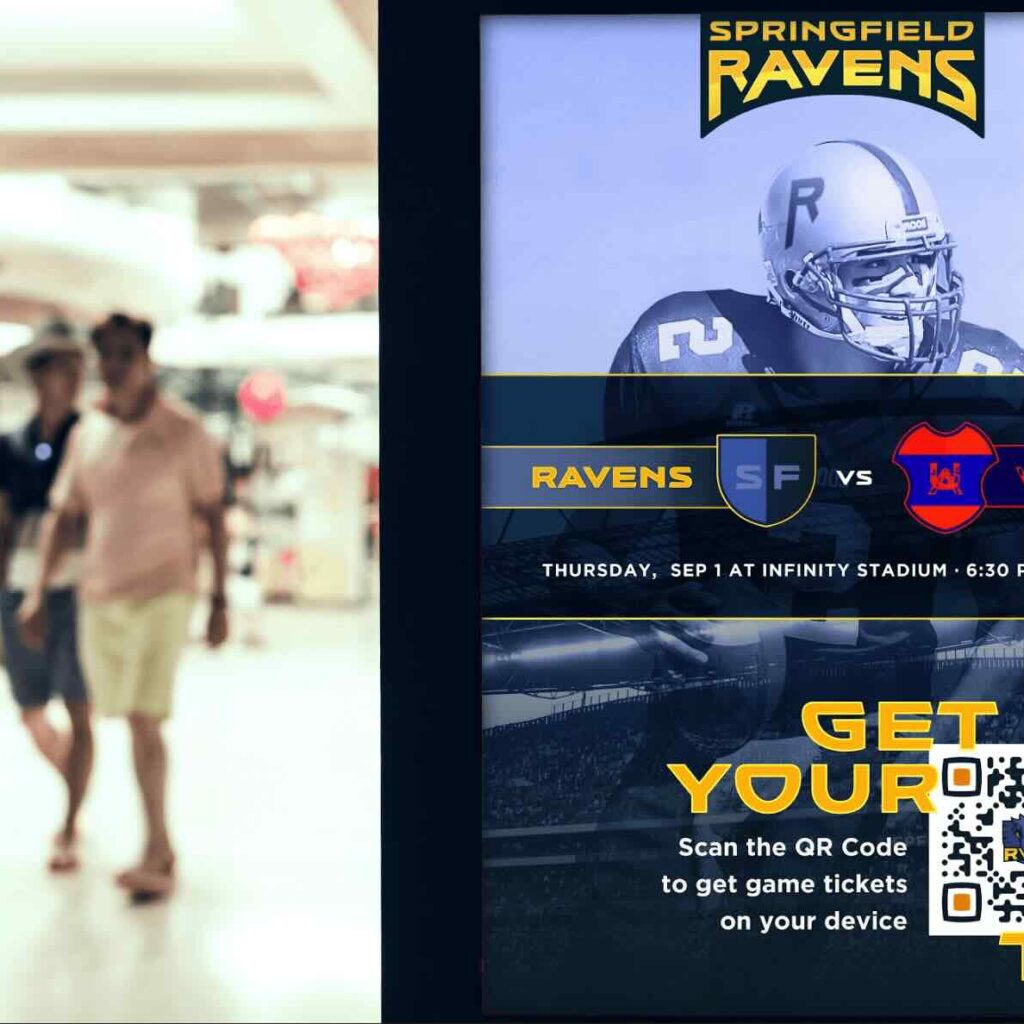
- Print ads and out-of-home media: Advertisers place codes on billboards and magazine pages to measure engagement and drive traffic to a landing page.
- Restaurants: Diners often scan QR Codes to view digital menus and pay bills.
Users can encounter these codes quickly and out of context. Clarity and placement matter immensely. A code on a highway billboard needs to be much larger than one on a wine bottle, and in either instance, the correct framing with an explicit call to action helps inform users about why they should scan.

Static vs Dynamic QR Codes
When creating a QR Code, you can choose between two main types: Static and dynamic. Understanding the difference helps you pick the right tool for your goals.
When Static QR Codes make sense
Static QR Codes encode the destination data directly into the pattern. This means you cannot change the content once you generate QR Codes. If you want to create a code for a Wi-Fi password or a permanent text message, a static code works fine. However, if you print 10,000 brochures with a static code linking to a specific web address and that address changes, you have a problem. You cannot update the code, so you must reprint the materials
Why Dynamic QR Codes are preferred for campaigns
Dynamic QR Codes offer the flexibility that modern marketing campaigns require. These codes link to a redirection address created using a URL Shortener. This structure allows you to change the code’s final destination at any time without altering the physical code.
You might link a dynamic code to a “Coming Soon” page today and switch it to a “Buy Now” page next week. The upshot is that you can keep the same printed assets while evolving the experience. Dynamic QR Codes also enable you to track engagement metrics and analytics, making them the standard choice for business use.
How QR Codes act as connectors between offline and online
Think of QR Codes as connectors rather than destinations. They link physical touchpoints to digital experiences. A well-placed code turns a passive moment into active engagement.
Imagine a customer holding a product in a store. They want to know if it is ethically sourced. A QR Code on the tag instantly connects them to a video showing the manufacturing process. This connection builds trust and encourages the purchase.
Consider a real estate agent placing a code on a “For Sale” sign. Passersby scan it to view a virtual tour and schedule a viewing immediately. The code bridges the gap between seeing the sign and taking the next step. You facilitate the journey from offline interest to online action.
What teams can learn from QR Code engagement
QR Code technology provides data that static media cannot offer. When you use Dynamic QR Codes, you gain visibility into how your audience interacts with your materials.
You can track scan volume to see how many people engaged with your campaign. You can analyze location data to identify which cities or countries show the most interest. You can review timing patterns to understand if people scan during business days or on weekends.
This data helps you optimize your strategy. If a code on a flyer gets zero scans, you might need to adjust the call-to-action or the placement. Note that QR Code metrics show engagement signals rather than direct conversion data. Once you understand how to make a QR Code using Bitly, you can use integration tools to connect these insights with other analytics tools if you want a full picture of revenue and ROI.
QR Code placement basics that influence performance
Even the best QR Code fails if no one scans it. Functionality depends heavily on how you present the code to the world. Let’s look at why some QR Codes get more scans than others:
- Visibility and contrast: Ensure the code stands out. A black code on a white background offers the best contrast for scanning. Avoid placing dark codes on dark surfaces.
- Size and distance: Print the code large enough for the context. A code on a table tent can be small, but a code on a poster across the room must be large. In general, aim for one inch of QR Code size for each foot of scanning distance.
- Context and Call to Action: Tell people why they should scan. A code with no label generally just confuses users. Add a frame with text like “Scan for Menu” or “Scan to Win” to drive action. Some of the best free QR Code generators include a custom frame tool so you can generate codes that include this important graphical element.
- Quiet zone: Leave enough empty space around the code borders. This helps the scanner distinguish the code from surrounding graphics.
Use QR Codes as part of a broader connection strategy
QR Codes work best when you align them with your messaging, your channels, and your destinations. They serve as one part of a cohesive ecosystem.
You can use a QR Code generator like Bitly to create QR Codes that integrate seamlessly with your links and link-in-bio pages. This approach allows you to manage, update, and learn from QR Code engagement over time. You ensure that every physical touchpoint reinforces your brand and guides your audience to the right place.
Ready to get the most out of your codes? Log in to Bitly today to access the tools you need to create the perfect QR Codes for any occasion.
FAQs
What are QR Codes used for today?
QR Codes quickly connect people from physical environments to digital content, such as websites, menus, forms, product information, or event pages. They are commonly used in marketing, retail, hospitality, and service experiences.
Do QR Codes require a special app to scan?
Most modern smartphones can scan QR Codes directly using the built-in camera app, making them easy for users to access without additional downloads.
What’s the difference between static and dynamic QR Codes?
Static QR Codes point to fixed content. Dynamic QR Codes allow you to update the destination and also provide engagement data, making them more flexible for ongoing use.
Can QR Codes be tracked?
Dynamic QR Codes can provide scan-level engagement insights, such as when and where scans occur. Conversion tracking requires additional analytics tools.





